

If you are searching for an uber accident app records lawyer, you may be trying to find out what the app can show and how to keep useful information from being lost. Your trip history, receipt, messages, and screenshots can help establish the ride’s timing and context, but they may not answer every question about a collision. Preserve what you can access now, and avoid altering or deleting relevant records.
Contact DC Law Group to discuss your Uber collision
Which app records may matter after an Uber collision?
A rideshare collision can involve several separate sets of information. The app data on your phone is one source. Records held by the rideshare company, the driver, other occupants, witnesses, and investigating agencies may be different. No single record necessarily proves how a collision happened or who is legally responsible.
Depending on the facts and what is available, potentially relevant information may include:
- Trip details: The date and time of the ride, pickup and drop-off points, trip status, route information shown in the app, and the names or account identifiers displayed to you.
- Ride request and cancellation information: A request, accepted ride, changed destination, cancellation, or other status update may help clarify what was happening before impact.
- In-app communications: Messages or calls exchanged through the platform can provide context about pickup arrangements, route changes, delays, or a report made after the event.
- Receipts and payment records: A receipt or trip summary can help identify a particular ride and preserve information shown to the passenger. Keep the original electronic record when possible.
- Incident or support communications: Messages with customer support, safety reports, and follow-up notices may document when you notified the platform and what information you provided.
- Phone records and photographs: Screenshots, photographs, location history, and relevant communications on your device may help fill gaps. These are separate from records maintained inside the rideshare app.
Records may be useful for different reasons. A timestamp can help create a chronology. A trip route can help identify the roadway or approximate point of travel. A support message may show when a report was made. But an app display is not automatically a complete, independently verified account of a crash. It should be considered alongside other evidence, such as witness accounts, scene photographs, medical documentation, and an official collision report where one exists.
The following comparison can help you sort records by source before you decide what to save or ask about. It is a practical organizing tool, not a statement that every record exists or can be obtained in every matter.
| Record category | Examples | Practical next step | Important limit |
|---|---|---|---|
| Your account and device | Trip summary, receipt, app messages, screenshots | Save an unmodified copy and a secure backup | May show only information visible to your account |
| Rideshare company records | Support communications, incident records, system information | Document any request and seek guidance on preservation | May not be included in a personal account download |
| Other collision evidence | Witness information, photographs, reports, medical records | Keep source and date information with each item | May address different questions than app data |
When records appear to conflict, do not try to resolve the difference by editing a screenshot or rewriting a message. Preserve each version as it is, and make a separate note describing the inconsistency and when you noticed it. For example, a receipt may show a trip end time that differs from the time in a message about the collision. That difference could reflect separate events, a delay in reporting, or a time display issue; the documents alone may not explain it. Keep the time zone or date format visible if the app provides it, and avoid converting times without noting the original value.
It also helps to separate facts you directly observed from information supplied by another person or displayed by the app. A simple timeline can label each entry as an app record, personal recollection, witness statement, or later document. That small distinction makes it easier for someone reviewing the material to see the source and avoid treating an estimate as a verified timestamp. If information is uncertain, mark it as uncertain rather than filling in a detail from memory.
What should you do first to preserve your own records?
Start with information you can access lawfully from your own account and device. Keep a copy in its original form where possible, and make a separate backup. Do not edit screenshots in a way that changes their content or discard the device before you have considered whether it holds relevant information.
- Save the trip receipt and trip details. Locate the relevant ride in your account and retain the receipt, trip summary, and any route or status information visible to you. If you can download or export a copy, keep the unmodified original.
- Capture the full context. Take screenshots that show the relevant app page and date or time where available. Avoid cropping away surrounding information that may help identify the record. Keep a note of when and how you saved each screenshot.
- Preserve messages and notifications. Save in-app conversations, texts, emails, support responses, and relevant call information. Keep the original messages on the device or account in addition to a backup when feasible.
- Write down your recollection separately. As soon as you are able, note what you remember about the ride, the route, the collision, and conversations before or after it. Mark the note with the date you created it. Do not present a later recollection as if it were an app record.
- Keep the phone and account information intact. Avoid resetting the phone, deleting the rideshare application, clearing relevant messages, or changing account details before considering whether they may matter. If your device is damaged, do not attempt repairs that could affect stored data without first asking a qualified professional about safe handling.
- Record where copies are stored. Keep a simple list of saved files, their original source, and the date copied. Store a backup somewhere secure. Do not post sensitive account details publicly.
These steps are practical preservation measures, not a guarantee that a particular record exists or will establish liability. If you are receiving medical care, prioritize your health. Ask someone you trust to help save basic records if handling the phone is difficult.
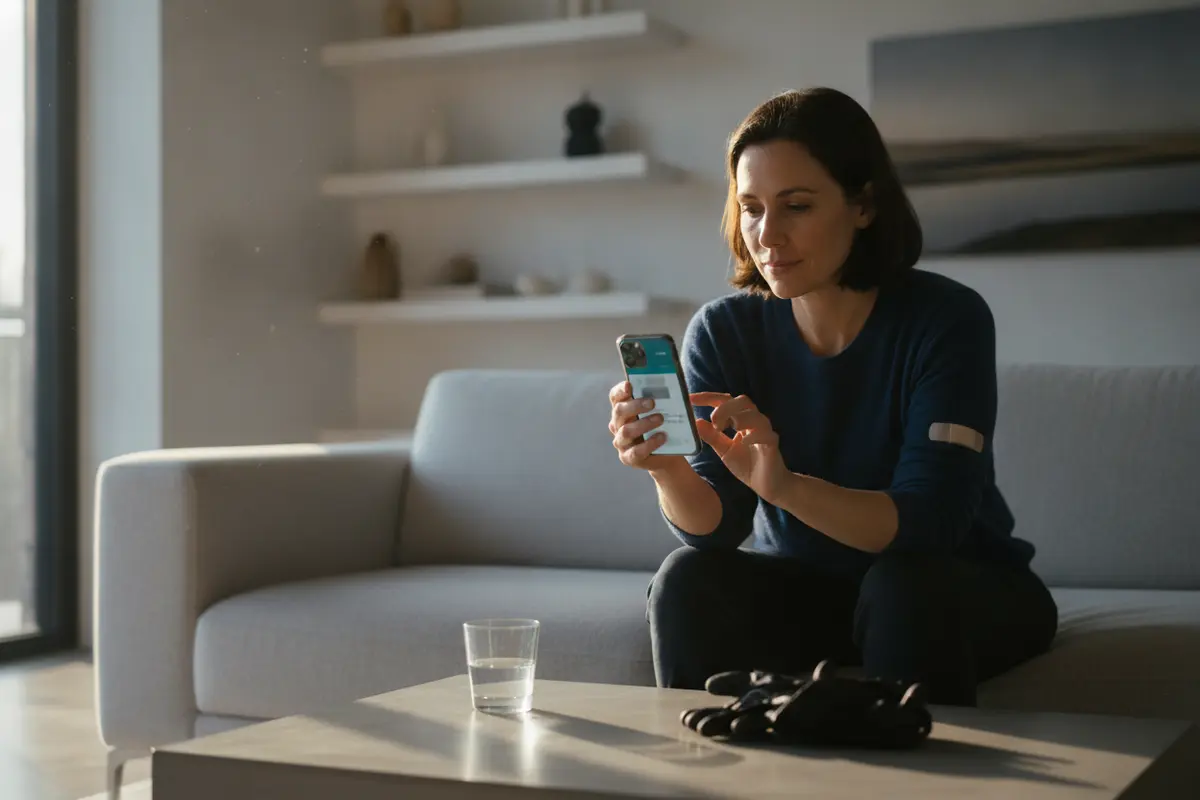
A passenger saving a rideshare receipt and trip messages on a smartphone
How can an Uber accident app records lawyer help preserve company records?
Information shown to you in your account is not necessarily the same as the full set of records held by a company. A passenger may be able to use account features or customer support to access some personal information or report an incident. The available process and the scope of any response can vary. Make a clear record of the request, when it was submitted, and any response received.
A personal account download or privacy request should not be assumed to include every record relevant to a collision. It may not provide internal safety reports, system logs, communications involving other people, or records that are subject to separate retention, privacy, or legal procedures. Do not assume that a request pauses deletion or preserves every company record. If company-held evidence may be important, a lawyer can evaluate what records to seek and whether a formal preservation request or other legal process is appropriate.
In a law review discussion about Uber and background screening, the author distinguishes driving-record and criminal-history information that Uber separately obtains from other information. That is a reminder that platform-related records can span different categories; it does not describe what will be available in a particular collision matter. Read the law review discussion of Uber’s separate record checks.
When documenting a request, be specific about the incident date, approximate time, account or trip identifier, and the kind of records you are asking about, without including unnecessary sensitive information. Keep a copy of what you sent. A support exchange may be useful to preserve, but it is not a substitute for professional advice about formal evidence preservation or deadlines.
What does your app data not prove by itself?
It is important to distinguish a record’s existence from what it can establish. A trip receipt may identify a ride, but it does not by itself show which person caused a collision. A route displayed in the app may help orient an investigation, but it may not establish a vehicle’s precise position at impact. A message may record what someone said, but further evidence may be needed to understand its context.
Similarly, a screenshot may show the information visible on a screen at the time it was captured, but it may not include the underlying system data or explain how that information was generated. The app’s map, device location, driver account details, vehicle information, and an official collision report are not interchangeable records. Each may have limitations that need to be tested against other available evidence.
Responsibility can depend on the specific circumstances. The rideshare driver may be one party to examine, but another motorist or other circumstances may also be relevant. Whether a company may bear legal responsibility is a separate question that depends on facts and applicable law. Do not assume that the presence of an Uber trip automatically determines who is liable.
Which records should you preserve beyond the app?
Build a broader evidence file without changing the underlying records. Useful materials may include:
- Photographs or video of the vehicles, roadway, visible injuries, and surrounding conditions, if you already have them.
- Names and contact details for witnesses, and any messages they send you.
- The collision report or report number, if law enforcement responded or a report was prepared.
- Medical records and appointment information related to treatment for the injuries.
- Insurance correspondence, claim numbers, and communications about the collision.
- Receipts, work records, or other documents showing effects of the injury, kept in their original form.
- Information identifying the rideshare trip, driver account, and vehicle, as displayed in your records.
Keep these materials organized by date. Preserve original files when practical, and make notes that identify copies or later additions. Do not add annotations to the only copy of a photograph, message, or document. If you share records with an insurer, lawyer, or another party, retain a copy of what you provided and when.
If an official report is involved, its existence does not mean that every detail is final or conclusive. You can keep the report and note any factual issue you believe needs further review. DC Law Group has a guide on how to read a California accident police report that may help explain what a report contains and what it does not resolve.
How should you organize records before a consultation?
You do not need to create a complicated evidence system. A folder with dated subfolders or a simple document list is often enough to make the materials easier to review. Keep original files separate from notes you create later. For a screenshot or downloaded document, record where you got it, when you saved it, and which ride or event it concerns. If you have several versions, preserve each version and label the copy date instead of overwriting the earlier one.
Prepare a short timeline with the date and approximate time of the ride, the collision, any call for help, medical attention, and contact with the rideshare platform or an insurer. Mark estimates clearly. You can also list what you have not been able to locate, such as a missing receipt or inaccessible account. A list of open questions is useful because it distinguishes gaps from facts that have already been checked.
Share records thoughtfully. App screenshots and phone messages can contain personal details about you or other people. Avoid publishing account screens or private communications on social media. If you are asked to provide documents, make a copy of the exact material shared and note the date and recipient. Do not alter the original file to remove context; if you need a redacted copy for a particular purpose, keep the untouched original separately and ask for guidance about handling sensitive information.
These organizational steps do not replace a formal evidence request, and they do not determine whether a record will be admitted or relied on. Their purpose is to help preserve what you already possess and make the history understandable. A lawyer can then identify which questions require additional investigation and whether further records should be requested.
How should you handle requests for trip information?
After a collision, you may hear from the rideshare platform, an insurer, another involved person, or a representative asking for information. Keep a note of who contacted you, the date, the method, and what was requested. If you receive a written request, save the complete message and any attached forms. If a person contacts you by phone, make a brief factual note after the call. Do not assume that every request covers the same records or has the same purpose.
Before sending app screenshots or phone contents, understand what is being requested and whether the material includes private information unrelated to the ride. Do not make false statements or guess when you do not remember a detail. It is reasonable to say that you need to check a record rather than provide an uncertain time from memory. Keep a copy of any response and the files you sent. If you have legal representation, ask your lawyer how communications and record requests should be handled in your matter.
A request to share a document is not the same as a request to preserve it. Keep the original even if you provide a copy. If a message or notification disappears from a screen, do not assume the copy you sent is the only version or that the sender still retains it. Make a note of the change and ask for guidance about any further preservation step. Avoid forwarding sensitive information to people whose role you have not confirmed.
If the collision involved multiple vehicles, a passenger, or more than one potential witness, the records may describe different parts of the event. Keep separate accounts distinct. Do not ask another person to change their recollection to match yours, and do not combine separate notes into a single account without identifying who supplied each detail. A clear distinction between source and recollection helps a later reviewer understand what the records do and do not show.
How should an Uber accident app records lawyer review app data?
A lawyer reviewing a rideshare collision can help identify which records may relate to the issues in the case, distinguish your account data from information held by others, and assess appropriate ways to request or preserve evidence. The work may include reviewing trip details, comparing records with the collision timeline, identifying gaps, and considering whether additional sources or legal procedures are necessary.
Legal review can also help avoid treating a partial record as a complete account. For example, an app route can be compared with scene evidence and witness information. A support message can be placed alongside the time of the collision and any incident report. Whether a record can be obtained, used, or relied on depends on the facts, applicable law, and the way the information was created and maintained.
Deadlines can affect injury claims, and the applicable period may depend on the parties and circumstances. Do not wait for every record to arrive before asking about a deadline. A lawyer can review the facts and explain what options may apply. DC Law Group represents people in California rideshare matters and can discuss whether the facts you describe fit its practice. Learn more about its Uber and Lyft accident representation, or read this overview of questions that may arise after an Uber collision.
Ask DC Law Group about preserving rideshare records
Frequently Asked Questions
Should I delete the Uber app after the collision?
If the app or its data may relate to the collision, avoid deleting the app or relevant information until you have considered preservation. Save the trip information and communications you can access, and keep a backup. If the phone is damaged or you cannot access the account, ask a lawyer or qualified device professional about next steps rather than experimenting with resets or recovery tools.
Will a trip receipt show exactly where the collision happened?
Not necessarily. A receipt or trip summary may show route or trip information, but it may not identify the precise point of impact or capture the full sequence of events. Compare it with other available evidence, such as photographs, witness accounts, and official records.
Can I get every Uber record through a personal data request?
You should not assume so. A personal account or privacy request may provide some information, but company-held records involving other people, internal systems, or an incident investigation may require a different request or legal process. The response can vary, so preserve your own records and get advice if important information may be held by the company.
What if I cannot find the trip in my account?
Keep any receipt, email, text, calendar entry, bank or payment record, and support communication that may help identify the ride. Make a note of the date, approximate time, pickup or destination, and the account used. Do not create or alter a record to fill a gap. A lawyer can consider what other sources may be available.
When should I talk with a lawyer about app records?
Consider getting legal guidance promptly if you were injured, if the collision involved disputed fault, or if relevant company-held information may need to be preserved. The right timing and process depend on the facts. A consultation can help you understand what steps may be appropriate without assuming that a particular outcome is assured.
Call DC Law Group to discuss your California rideshare collision
Keep the records you already have in their original form, make a secure backup, and get case-specific guidance before assuming that app data tells the whole story.